


How Do You Fit a Flatbed?

The following article was originally published by In-plant Impressions. To read more of their content, subscribe to their newsletter, IPI E-News.
Flatbed wide-format printers are hot. In our 2026 “In-plant Capabilities, Performance, and Expansion” report, flatbed wide-format printing showed the largest growth of any in-plant service, jumping from 29% of in-plants that provided it in 2024 to 45% today.

The new Konica Minolta AccurioWide160 flatbed printer at Michigan Farm Bureau.
The reasons behind this flatbed fetish are obvious, but the logistics are tricky. Flatbeds are big machines, and in-plant facilities are not known for their spaciousness. Accessibility can be limited as well. How are in-plants able to fit flatbeds into their already-packed shops?
To find out, we asked several that have recently installed flatbed or hybrid wide-format printers. Here are their stories.
Dan Dippel
Manager, Print and Mail Services
SUNY Brockport
“Space is a concern for us, like many in-plants, but for us the bigger concern was fitting the flatbed through the door. Our loading dock is down a hallway that is too narrow to move the printer into the department from the dock, and our flatbed (a Ricoh Pro TF6251) couldn’t be taken apart to the point it would fit. It can’t be rotated 90° to fit, either. We considered creating a big hole in the outdoor-facing wall of the print shop and bringing it in that way, but the costs of doing so were too much. We ended up taking over a little-used storeroom right across the hall from the loading dock. The printer still wouldn’t fit through the door, but we were able to knock a big hole in the wall opposite the loading dock, bring the printer into the room that way (along with a Colex cutter), then seal the wall. It’s inconvenient to have to go down the hall every time we need to use that equipment, but it was either that or we don’t get the equipment at all, so we are grateful it worked out. We’re not looking forward to the process of replacing it when the time comes however. I guess we’ll have to get out the sledgehammers once again.”
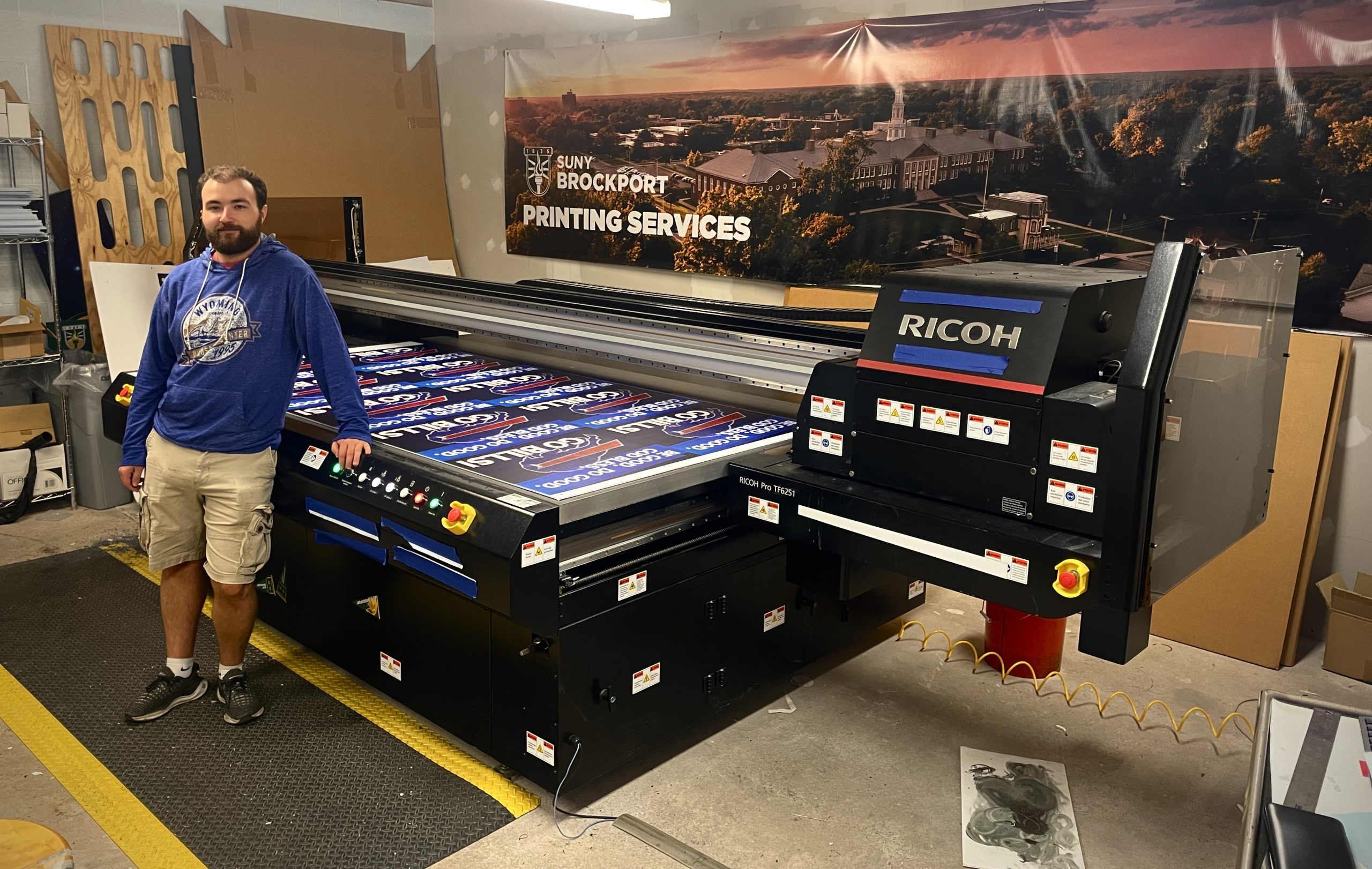
At SUNY Brockport, Robert Fisher stands with the in-plant’s Ricoh Pro TF6251, which was installed in a storeroom near the loading dock. | Credit: SUNY Brockport
Mike Puckett
Director, Printing Services
Vanderbilt University
“We are in the basement in our building, which is made up of dozens of storage rooms. When I arrived on campus, most of the basement was being used for storage for several departments that at one point or another were in this building. I simply went pallet by pallet and either got rid of stuff or relocated it to another area. Because the basement does not have a dock, but just a ramp going down, we had the challenge of how to get the very heavy machine down without losing control. When the HP Latex R1000 arrived, the riggers brought a forklift that fit within inches of the ceiling to control the printer down the slope. This took approximately two days to complete. Then the challenge came of making it level. We used shims.”
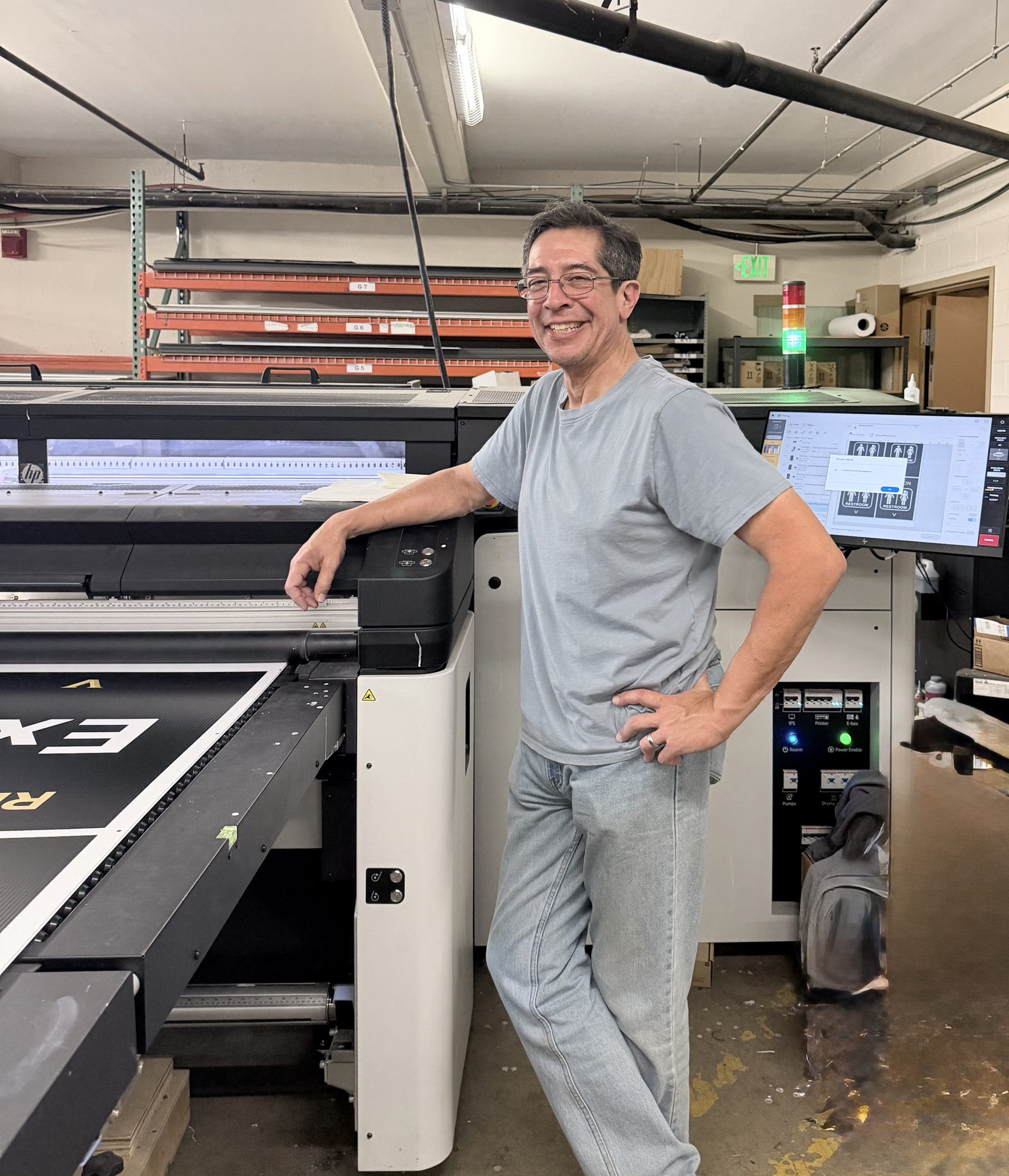
Vanderbilt University Printing Services had just inches to spare when installing its HP Latex R1000, shown here with Paul Sussman. | Credit: Vanderbilt University
Jason Kermashek
Manager, Gorilla Graphics
Pittsburg State University
“We selected the Mimaki JFX200-2513EX. This is an 8x4' bed with 2" clearance. It came preloaded with inks of CMYK with two whites and two clears. We use the clear inks for a matte scratch protection coating on various rigid products, as well as spot gloss printing for effects and tactile printing. After selecting the printer, we got measurements and surveyed our space to find that although we had room for the printer, there was no way to get it in here with our entrances at the time. We knocked down a wall and installed an overhead door to accommodate the printer, after seeing the value in having such a door to pull in vehicles for the vehicle vinyl graphics work that we do, such as applying decals to campus police vehicles. We did have to run power for the printer, but that wasn’t an obstacle. For substrate storage, we had some bins built for the limited amount of inventory that we keep on hand.”
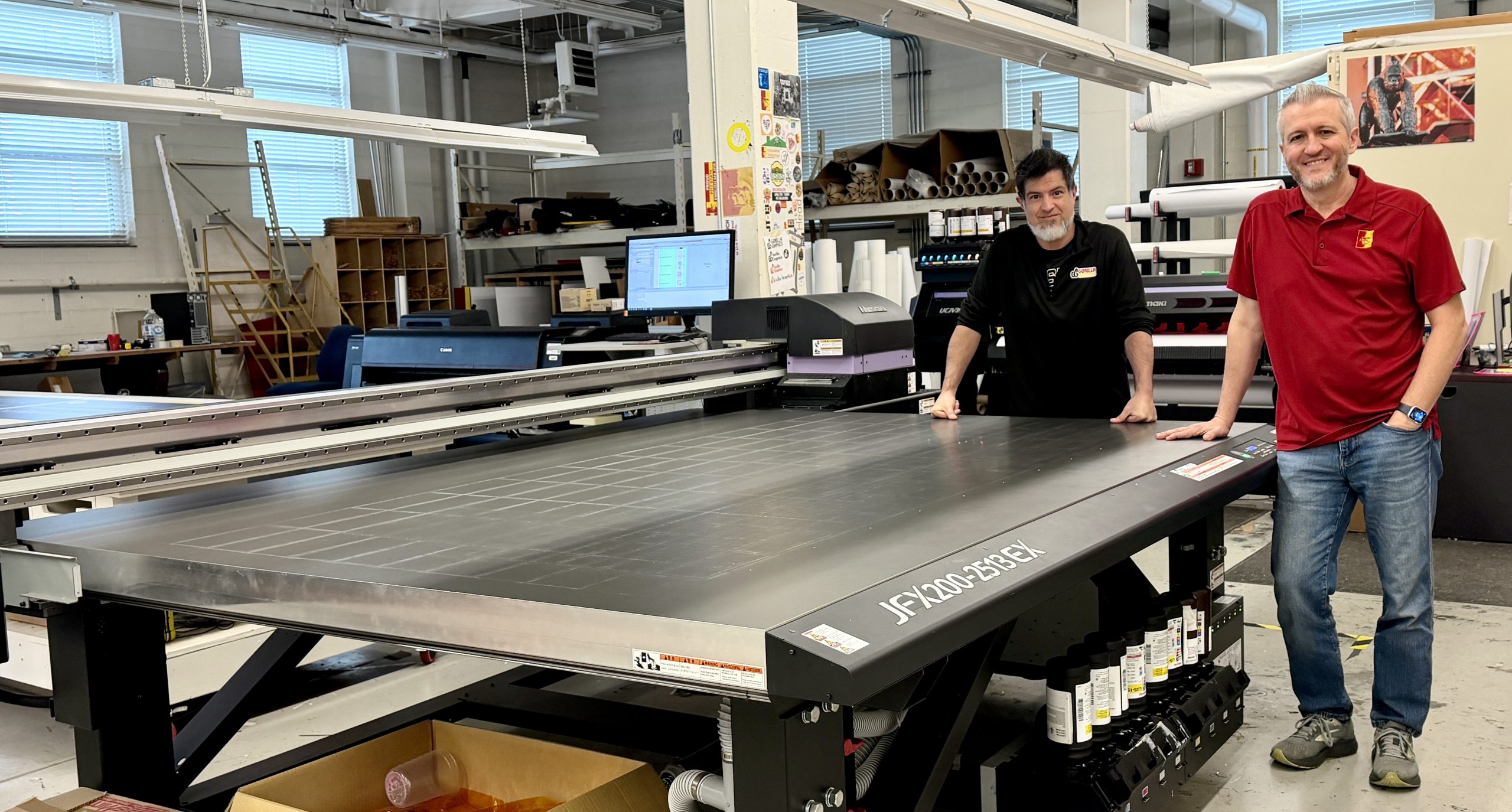
Pittsburg State University Gorilla Graphics knocked down a wall to install its Mimaki JFX200-2513EX, shown off here by Daniel Macias and Jason Kermashek. | Credit: Pittsburg State University
Kevin Lowe
Manager, Print Shop
San José State University
“We made space by getting one that was a bit smaller. The Xante X-55 was a good compromise between the smaller X-33/36 and the X-98, as it allows us to print boards up to 50x55". We did have to move out some tables that weren’t being used, but the overall footprint of the entire system wasn’t that bad. Additionally, since it only requires standard 110V outlets, we didn’t have to worry about extra power requirements. Installation was easy as the machine is designed to ship/transport on its side, so fitting it in our freight elevators and through our doors was fairly simple.
"The biggest issue we have is with the material we’re printing on, as we don’t have a way to store the large sheets properly. We currently have large 48x96" sheets resting on the edge, which can add some curving to the materials, but in general the suction table is enough to keep the material down.”

Kevin Lowe (left), manager of San Jose State University’s Print & Technology Center, and Clifton Gold, print production coordinator, show a variety of prints and applications produced on the shop’s new Xanté X-55 UV flatbed printer. | Credit: San Jose State University
Victor A. Ramirez
Manager, Signage & Wayfinding
Chicago Transit Authority
“We got an HP Latex R530 right before Christmas 2025, and it’s been an absolute godsend for us. Logistics for installing this beast in a former retail space with just one rear and one front door were definitely a concern. Fortunately, the property owners allowed us to add a double door on a shared wall with the lobby and bike room, giving us seamless access to the front entrance. Delivery from HP was smooth from start to finish—straight from the flatbed onto the city sidewalk (in the snow!)—and it fit through all the doors without a hitch.”
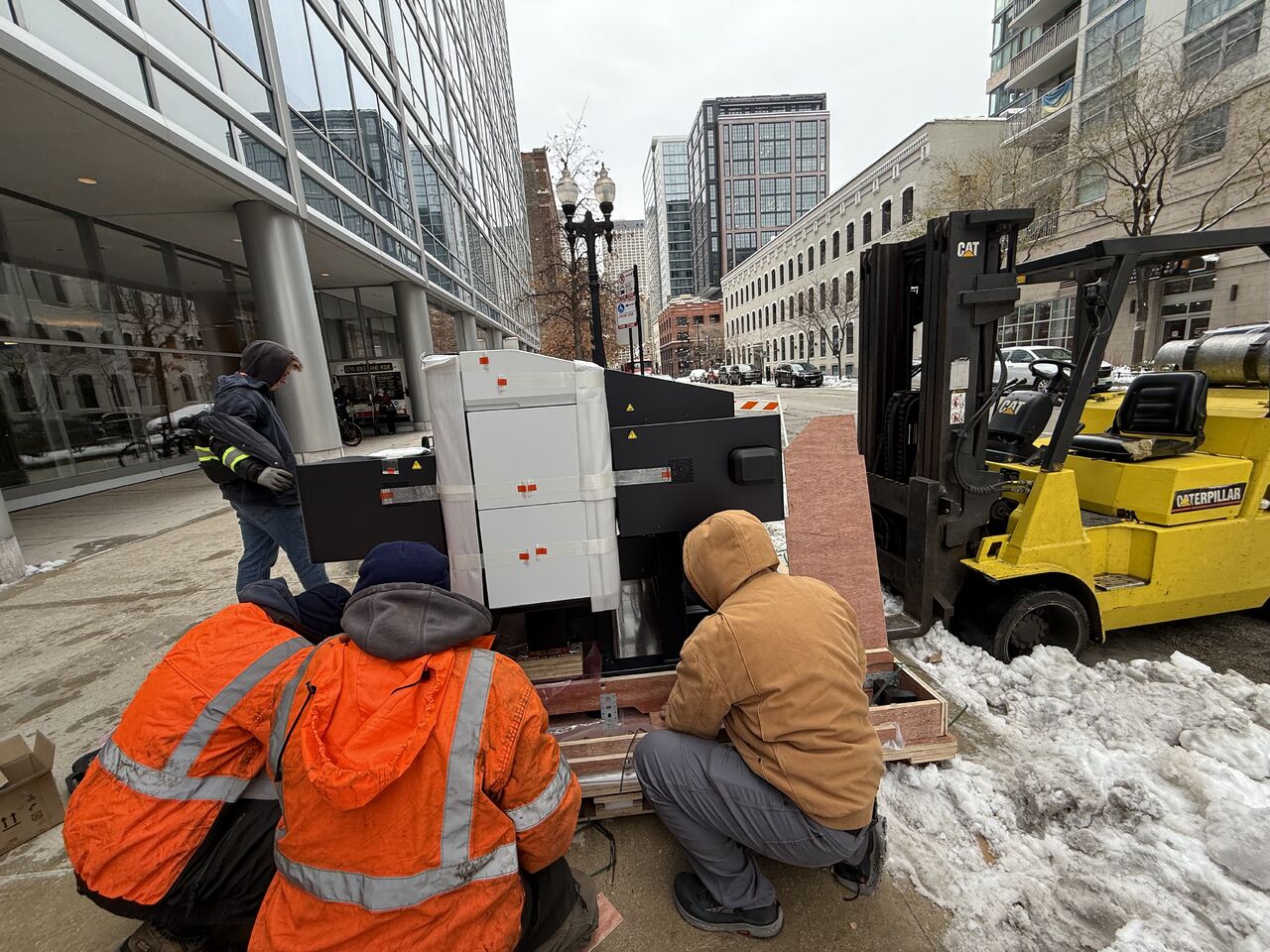
Chicago Transit Authority’s HP Latex R530 being installed on a cold winter’s day.
Chad Simpson
Director of Printing Services
East Baton Rouge Parish Public School System
“The building sits on roughly 20-foot column centers, which meant each former classroom was about 20' wide. A flatbed needs 10 to 12' of clearance on each side plus the width of the printer itself, so before we removed the wall, things were extremely tight. We had to run everything landscape, which kept us from printing 5x10' boards, and simply moving around the machine to do the work was a struggle.
“We chose the HP Latex R2000. We’d already had great success with our HP roll-to-roll latex printer, so staying with latex was an easy decision. We liked having the ability to print white for jobs like clear stickers or reverse printing on acrylic, but it isn’t something we do often. That made a low-maintenance white ink system a big deal for us, and I can say it works great. We also appreciate that there’s no odor. Latex fits what we do very well, and I’d say it fits what most school systems do just as well.
“One thing I’ve learned: Hybrid machines (like the one I have) take up more room than you’d expect. You need about 10–12' on each side to handle 4×8' boards, so realistically you’re looking at around 25' of space to use it comfortably. If space is a concern, I’d lean toward a true flatbed.”
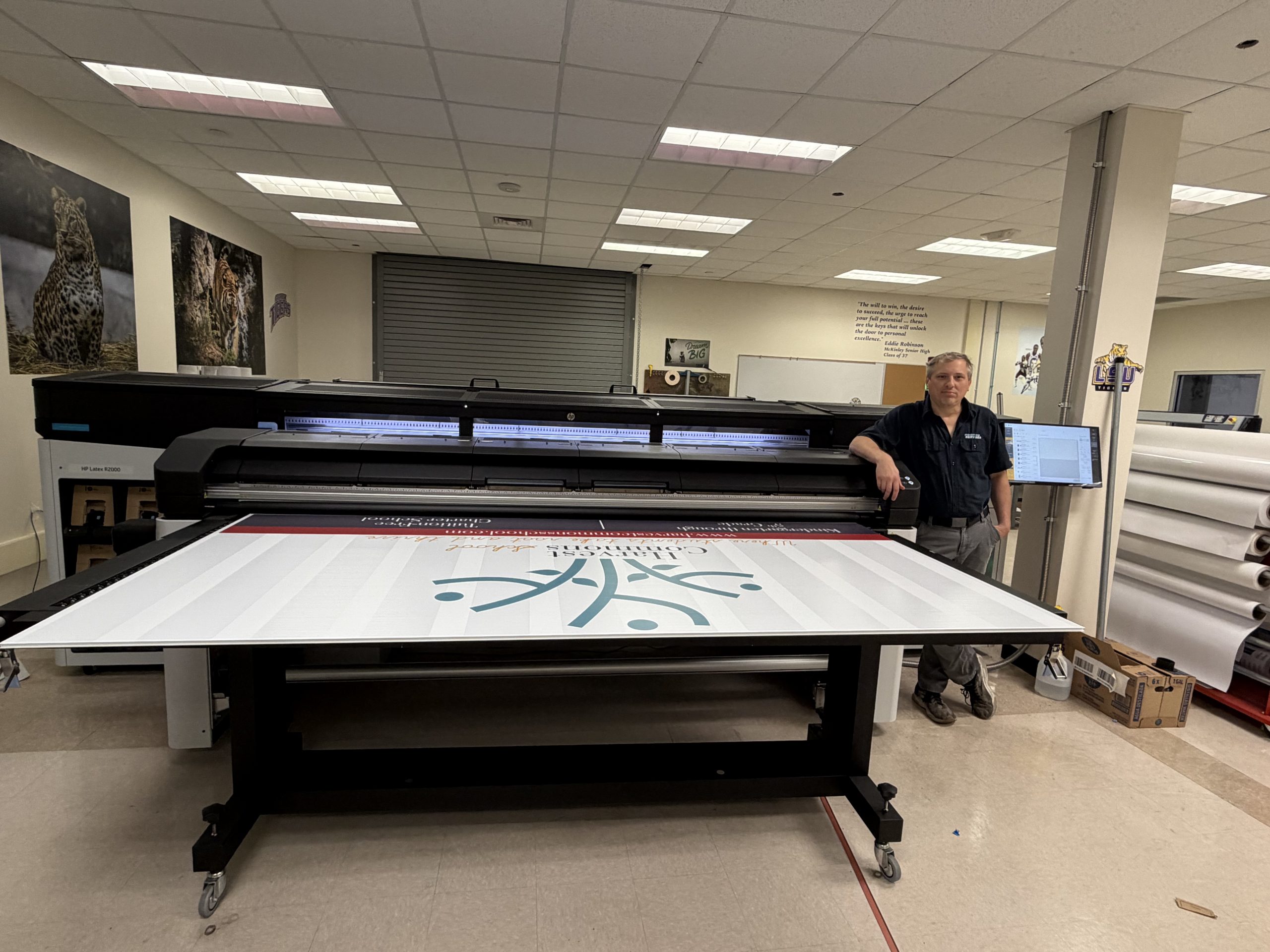
Printing Services at East Baton Rouge Public School System found that hybrid flatbeds like its HP Latex R2000 take up more room than true flatbeds. Here, Chad Simpson stands next to the printer.
Michael Post
Director, Campus Services
University of West Georgia
“The flatbed we installed was an HP Latex R1000 Plus. It is a hybrid belt-fed machine rather than a traditional fixed-bed design, which actually made the installation and placement a little easier because the input and output tables are removable.
“The area we ultimately used had previously been our offset platemaking room. It housed our imposition workstation, laser platesetter and plate processing equipment, along with some older functions such as film stripping. We had removed our half-size Komori offset press the year before, and by that point most of the platemaking equipment was obsolete, so it was either sold or surplused.
To open up the area, we removed an L-shaped, non-load-bearing dividing wall. That gave us the footprint we needed, but just as importantly it improved access and airflow and created a much more flexible production area. We took the opportunity to upgrade the HVAC in that section of the shop.
“The R1000 Plus required dedicated power, but that did not create a major problem for us. We had recently upgraded our electrical panel specifically with future growth and more power-intensive production equipment in mind. We also did not need to add any special ventilation for the printer, which was one of the advantages of staying with latex technology and one of the reasons we chose that platform.
“While we were making the building modifications, we also enlarged our dock doors from six' to eight' . We wanted to make sure we were prepared for the flatbed as well as whatever presses or equipment we might bring in over the next several years.
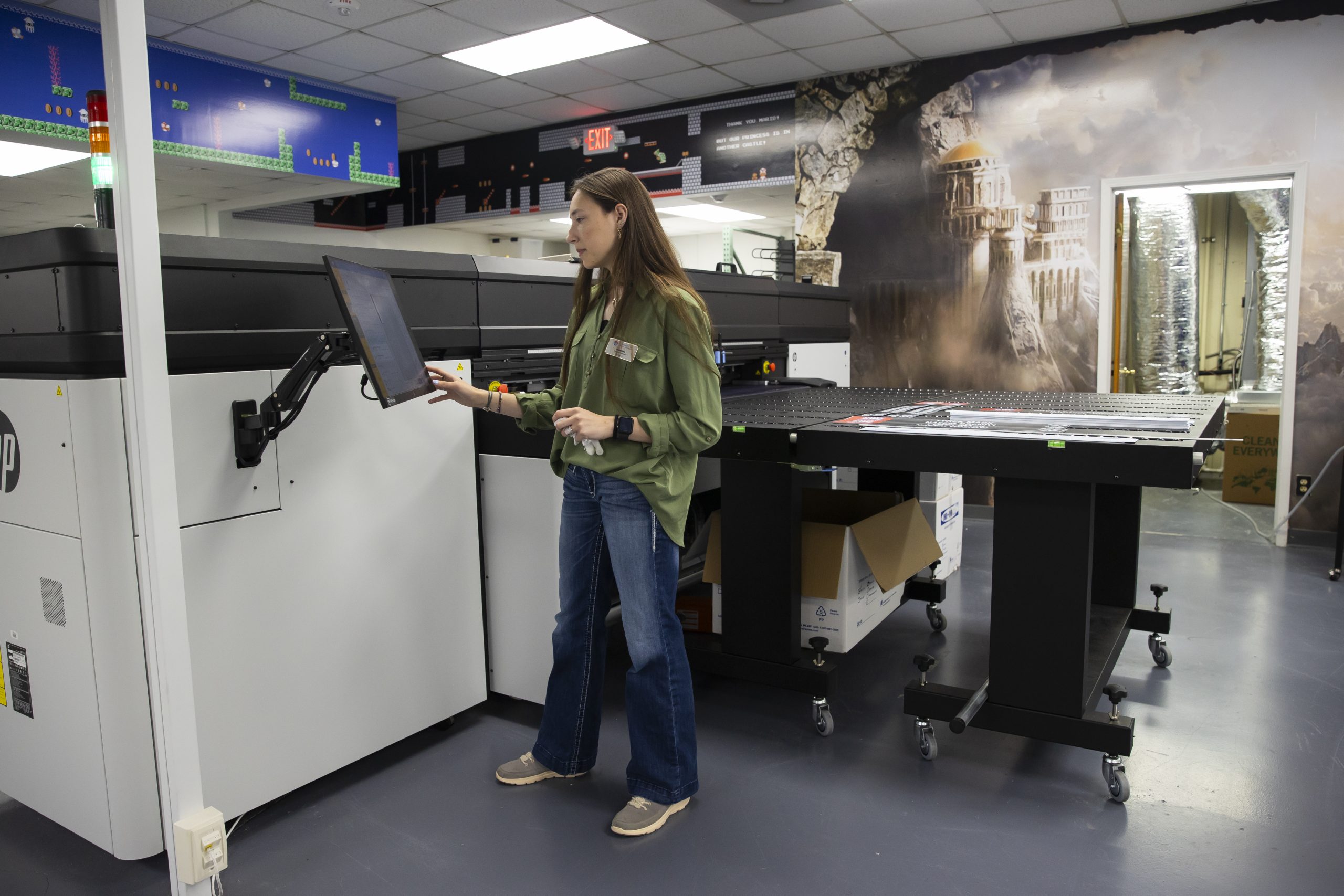
Gabby Miller runs the University of West Georgia’s HP Latex R1000 Plus wide-format printer. | Credit: University of West Georgia
“The actual delivery and installation went very smoothly. HP reviewed and approved the site ahead of time and planned the delivery path before the equipment arrived.
“Probably the biggest lesson for us was that when there is a will, there is usually a way. In this business, if you are not prepared to evolve and adapt, you can quickly become irrelevant. Sometimes that means being realistic about equipment or processes that have outlived their usefulness and being creative about how you reuse the space and infrastructure you already have. We have also learned to look three to five years ahead whenever we make building or infrastructure changes. Because if you’re already opening walls, upgrading electrical service or changing a doorway, it usually costs a lot less to prepare for what you know is coming next than it does to go back and do it all over again a few years later.”
Dillon Handy
Supervisor
Framingham State University Print Services
“We purchased the Xante X-16 in 2021. The footprint for the unit isn’t too large (~5x4'), so fitting it in only took a little shuffling around. Initially, we put it where we had a platemaker, which was removed when we switched to a 100% digital workflow. Over time, we moved the unit around when we were centralizing into the office where we already had the printer. Since the unit takes a standard 110V outlet, relocating to a spot with power wasn’t too much of an issue in our existing shop space. Due to the age of the printer and limitations, we are looking to replace it with a more modern machine that requires less daily maintenance, faster setup, and more capabilities within a smaller footprint.”

Framingham State University team members Colleen Fitzgerald (left) and Dillon Handy with the shop’s Xanté X-16 flatbed printer, which was installed three years ago. | Credit: Framingham State University
Greg Christiansen
Director , Aggie Print and Mail
Utah State University
“Making the decision to add a flatbed UV printer and CNC cutter to our operation was easy. (We purchased the Ricoh Pro TF6251 and the Colex cutter.) We did need to make some decisions on what to move on from in order to make some room. When we looked at the numbers, it was a pretty easy choice. Our offset printing had been dwindling, and finding a pressman was a challenge, so we sold our large Heidelberg MO press to reallocate valuable space. We worked with the vendor to make sure all of our openings were large enough to receive and move the equipment into place. It was a good decision; flatbed printing and cutting is our fastest growing area now. In fact, we just created a new full-time position to operate the new equipment after about nine months of operation.”
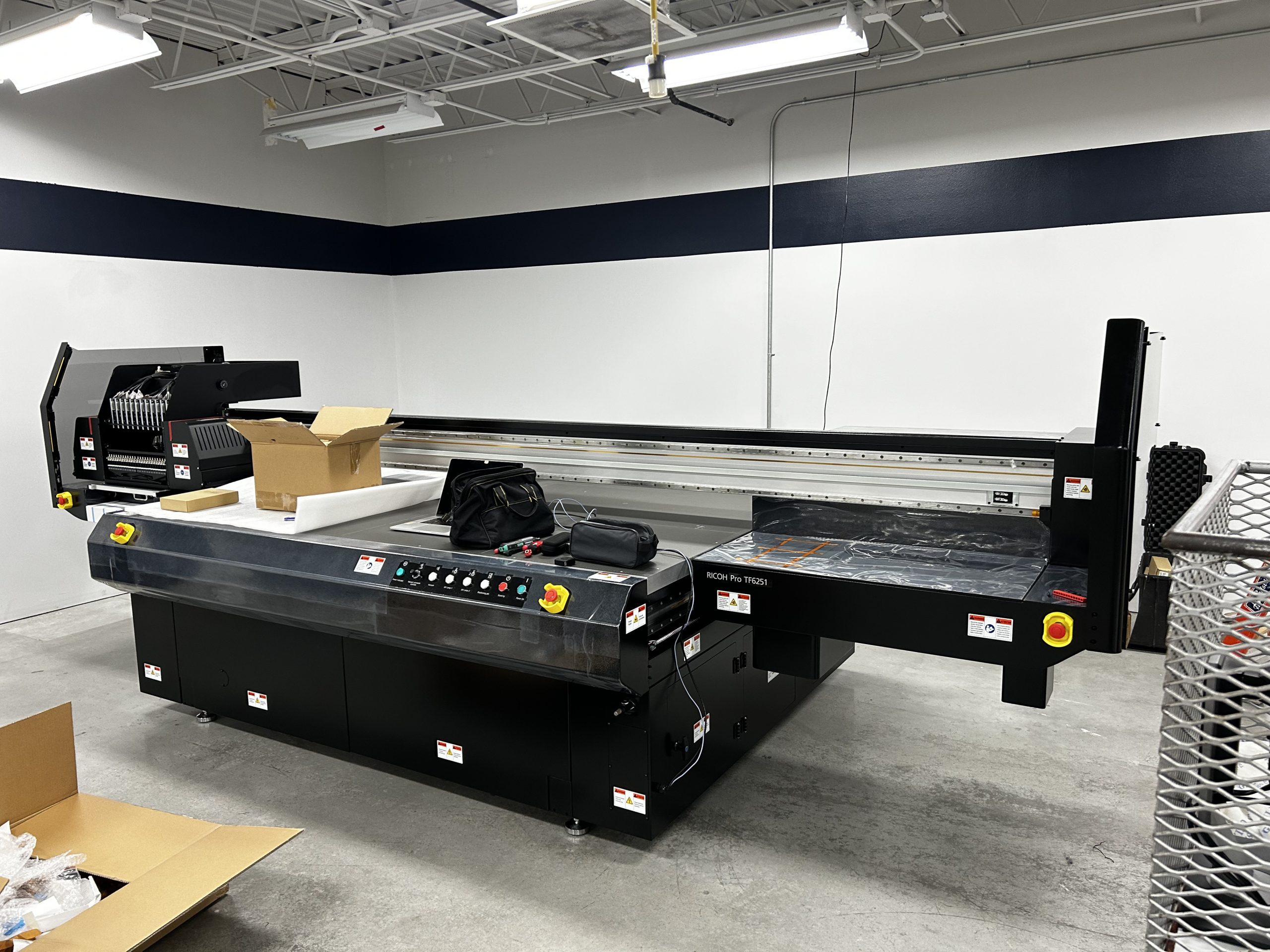
To make room for its Ricoh Pro TF6251 flatbed, Aggie Print and Mail at Utah State University removed its offset press. | Credit: Utah State University
- Categories:
- Digital Printing-Wide Format - Flatbed
Bob has served as editor of In-plant Impressions since October of 1994. Prior to that he served for three years as managing editor of Printing Impressions, a commercial printing publication. Mr. Neubauer is very active in the U.S. in-plant industry. He attends all the major in-plant conferences and has visited 200 in-plant operations around the world. He has given presentations to numerous in-plant groups in the U.S., Canada and Australia, including the Association of College and University Printers and the In-plant Printing and Mailing Association. He also coordinates the annual In-Print contest, co-sponsored by IPMA and In-plant Impressions.


